Two things, one private app. Ask your PDFs, slides and docs and get answers grounded in your own sources, with tappable citations. Then generate mindmaps, summaries, infographics and quizzes from that same material.
Free · on-device AI · works offline · no account needed
The assistant answers only from the documents you give it. Every claim carries a citation you can tap to see the exact passage — and when your sources fall short, it tells you instead of inventing.
Replies are built from your material only — no made-up facts.
Tap any marker to open the source passage it came from.
Meaning + keyword search, re-ranked — and it shows how it read your question.
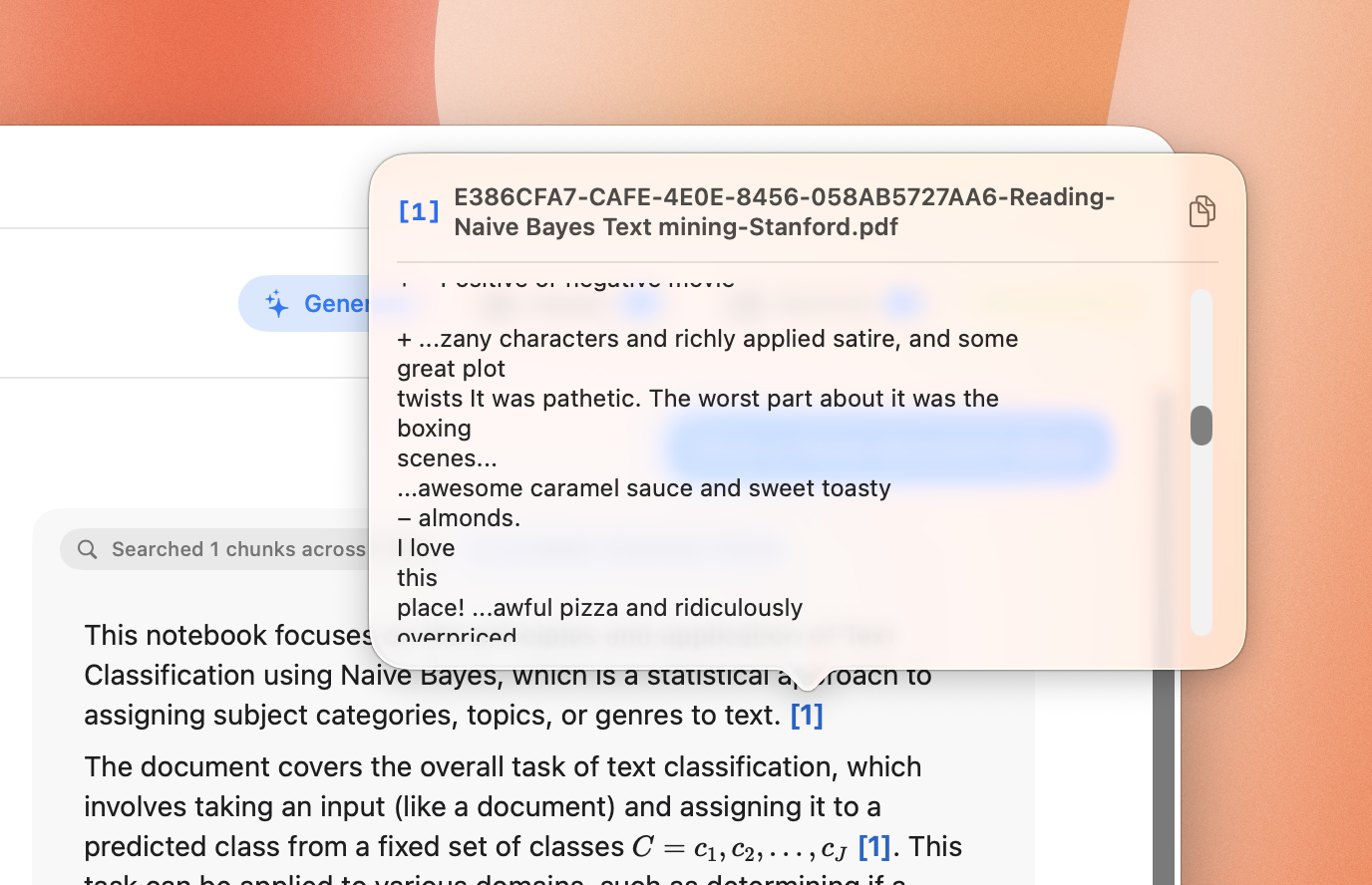
go on, tap one
A notebook holds your sources. Add them however you like — every file is processed automatically, ready to chat with in seconds.
Turn any notebook into a mindmap, summary, infographic or quiz — generated straight from your material and saved to your Artifact Library.
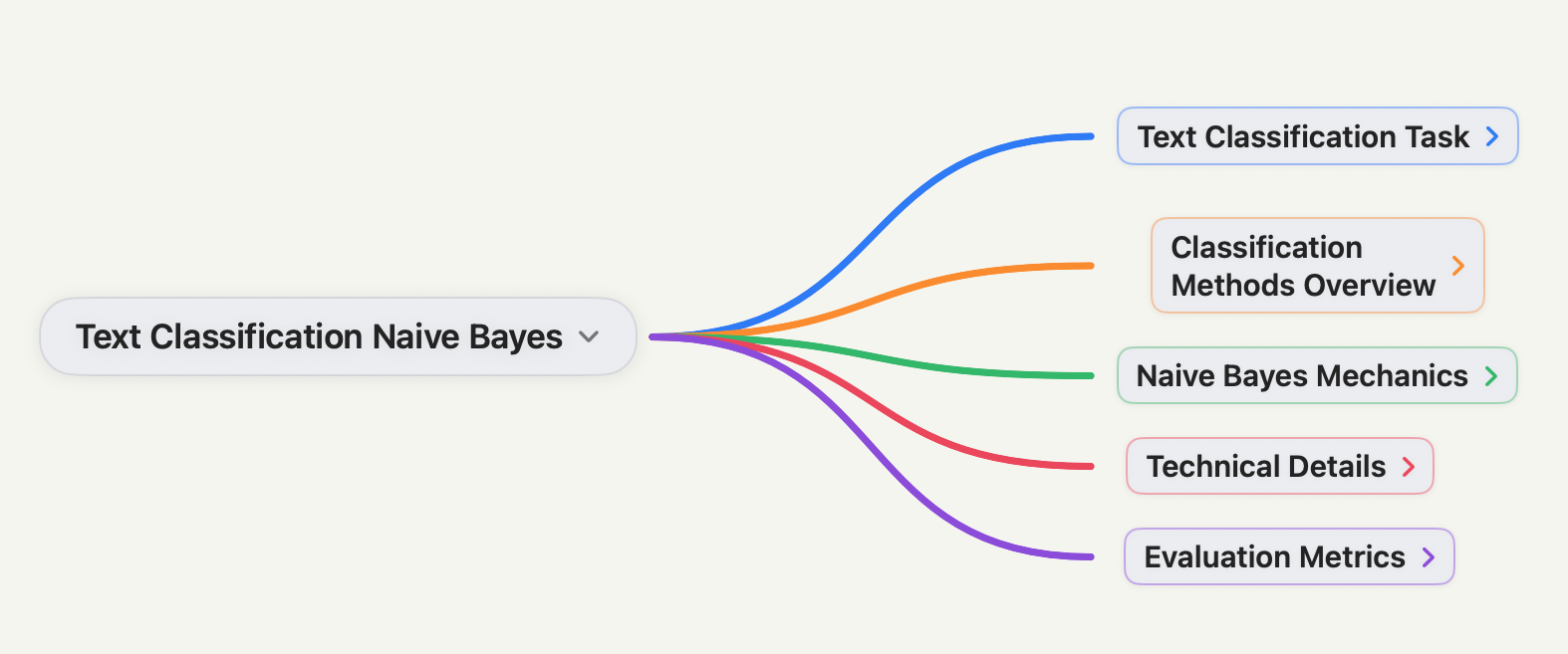
assets/mindmap.pngAn interactive mindmap, generated from a single reading.
An interactive, color-coded node tree — a whole chapter's structure at a glance.
interactiveStat callouts, timelines, comparisons, flashcards — and real charts from your numbers.
11 section types3–30 questions with explanations. Practice mode for feedback, Test mode to score.
tracks best scoreCrush a 40-page reading into the essentials, with adjustable length and style.
brief → detailedThe intelligence runs locally on your own hardware. Download a model once and your study materials never leave your device.
One-tap downloads of Gemma, Qwen, DeepSeek and more — from small & fast to large & sharp.
pick your sizeModels run on your own CPU and GPU — no servers, no API keys, no usage limits.
100% on-deviceOnce a model is downloaded, everything works with no internet and no account.
your data stays putYour documents never leave your device.
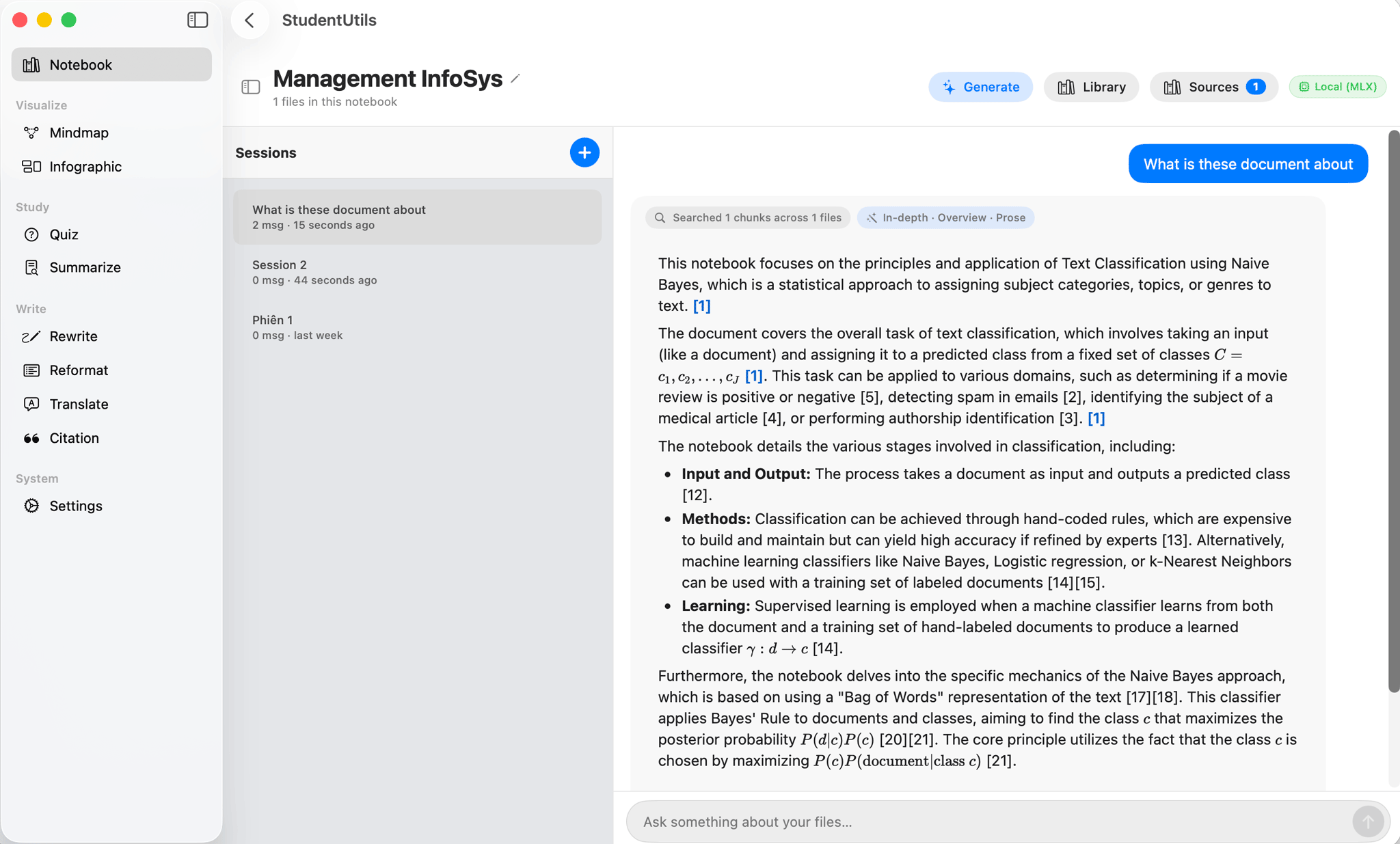 drop your Mac screenshot at
assets/mac.png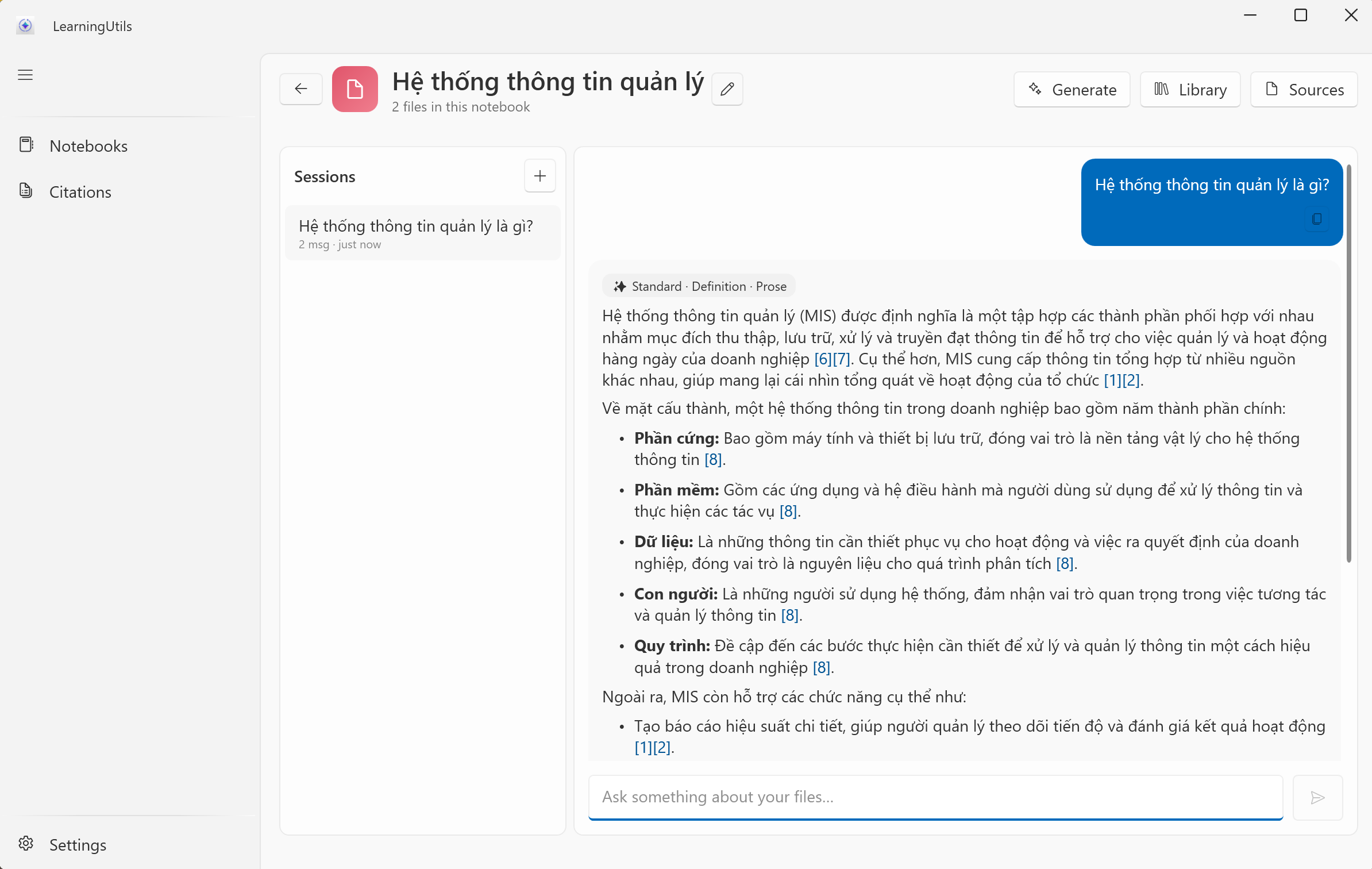 drop your Windows screenshot at
assets/windows.pngBuild a notebook from your readings, get grounded cited answers — then turn the same material into mindmaps, summaries, infographics and quizzes. On-device, offline, no account.
 LearningUtils
 Download for Mac & iPad
 Download for Windows